
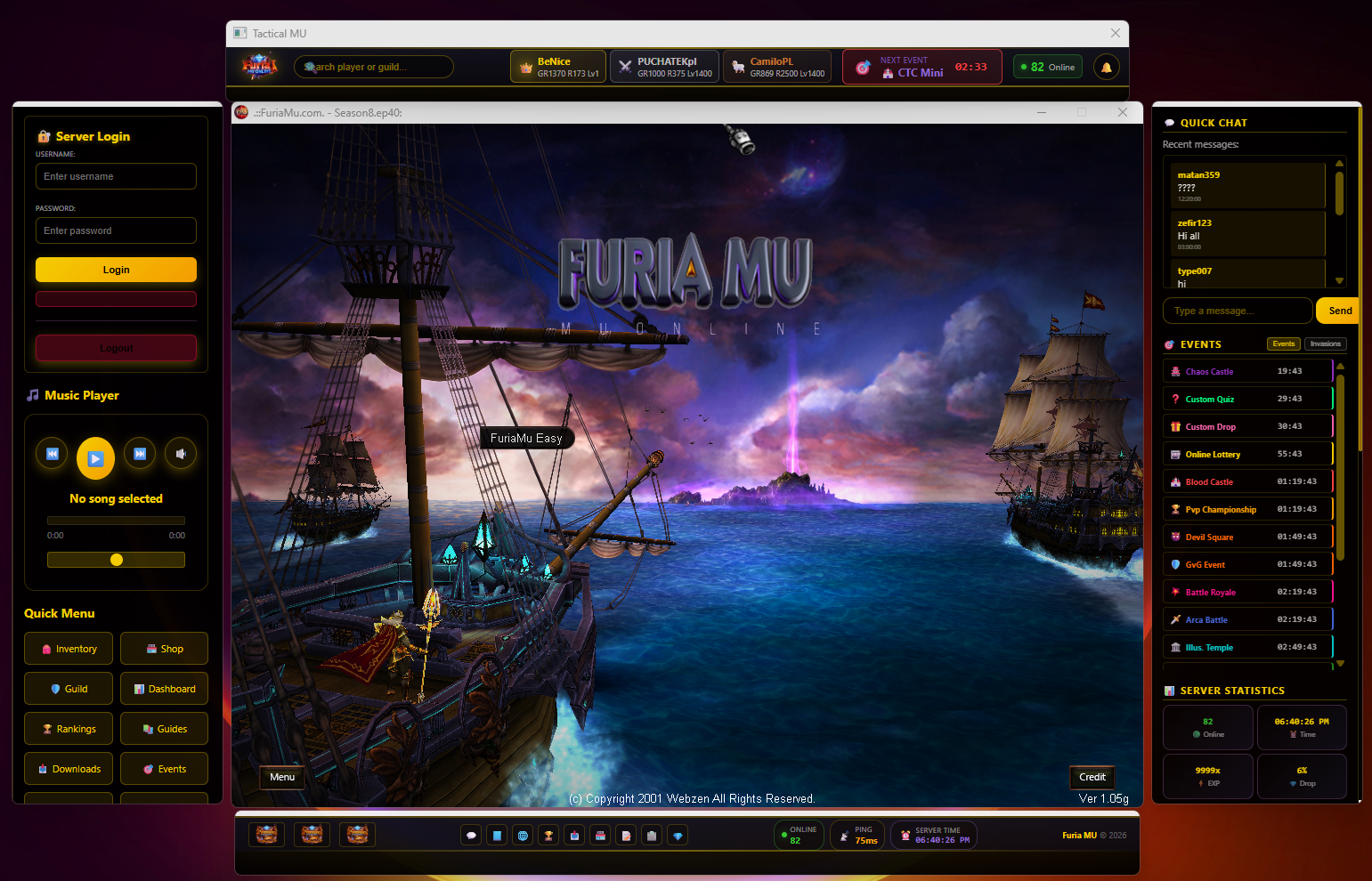
🚀 FURIA MU – NEW CLIENT WINDOW UPDATE
We’ve added a brand new Client Interface Window to improve your gameplay experience.
This system helps you stay informed, connected, and ready for every event.
🧭 HOW IT WORKS
📌 This new window is designed to help you with information, communication, and navigation.
Everything you need is now visible directly inside the client.
🔐 LOGIN PANEL (LEFT SIDE)
Please log into your account using the left panel.
After logging in, you will gain access to all quick features and shortcuts available in the client.
💬 QUICK CHAT (RIGHT SIDE)
On the right side you will find the Quick Chat.
It helps players communicate fast, ask questions, and stay connected with the community.
We encourage everyone to actively use the chat.
⚡ QUICK MENU (LEFT BOTTOM)
Inventory – fast access to your equipment
Shop – open the in-game store quickly
Guild – manage and check guild information
Dashboard – overview of your account activity
Rankings – check top players and progress
Guides – helpful gameplay instructions
Downloads – client and update files
Events – event information and schedules
🎵 MUSIC PLAYER
Use the built-in music player to control background music directly inside the client.
📅 EVENTS PANEL (RIGHT SIDE)
Track all upcoming events in real time:
Online Lottery
Chaos Castle
Custom Quiz
Custom Drop
Blood Castle
PvP Championship
Devil Square
Guild vs Guild
Battle Royale
Arca Battle
Illusion Temple
📊 SERVER STATISTICS
Check live server info instantly:
Online Players
Server Time
EXP Rate
Drop Rate
🙏 SPECIAL THANKS
Big thanks to NewAngel for the help and support
in creating and improving the new client window.